> ## Documentation Index
> Fetch the complete documentation index at: https://docs.lendflow.com/llms.txt
> Use this file to discover all available pages before exploring further.
# Email Integration
## Email Integration
Lendflow Email Integration enables a fully white labeled experience for your customers. By following the steps below, all emails generated from the Lendflow portal and sent by our funding team will be customized and branded to your organization.
1. Go to [app.lendflow.com](https://app.lendflow.com).
2. Select your profile in the lower-left corner.
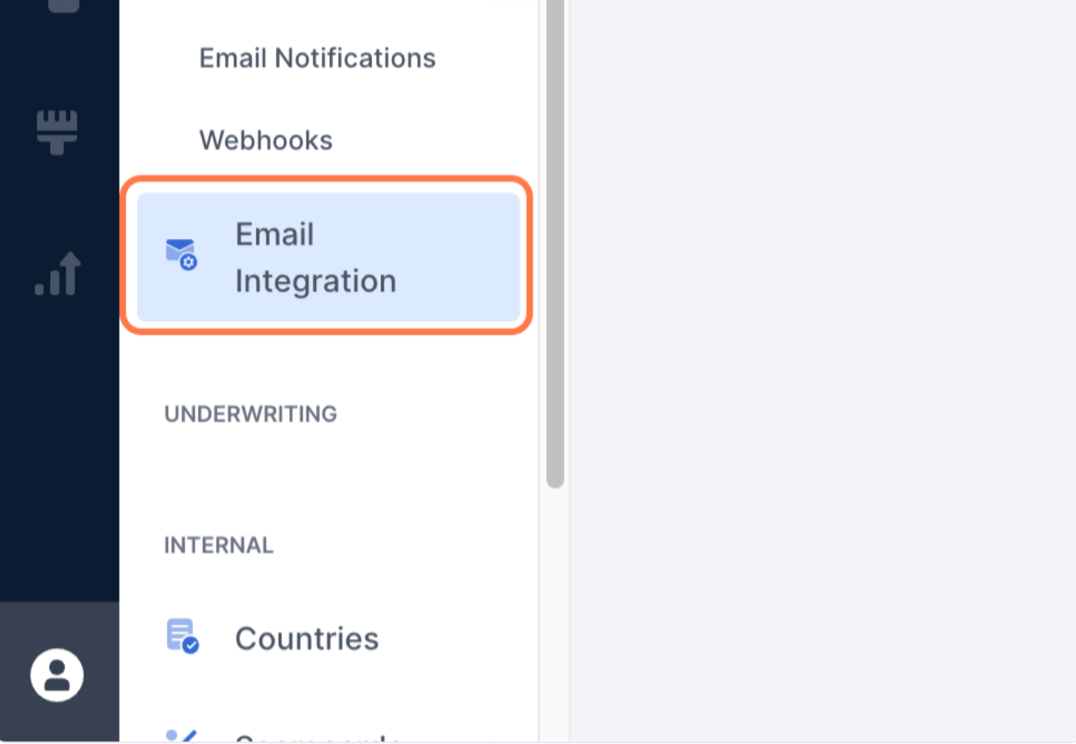
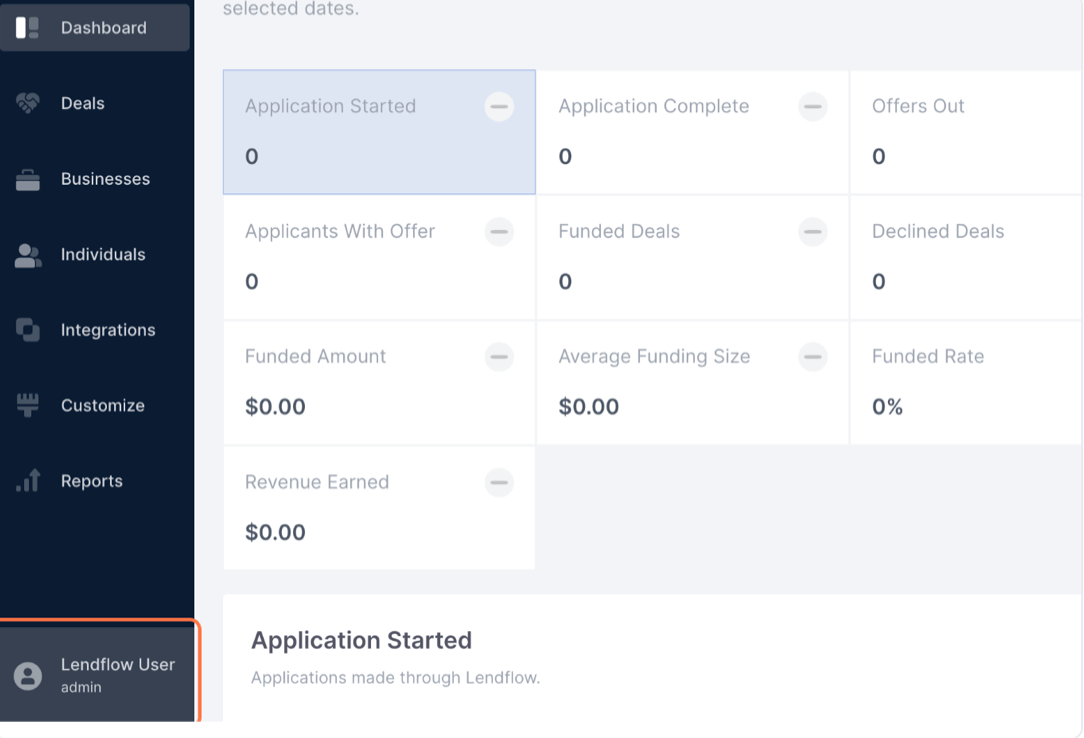 3. Under **Account**, select **Email Integration**.
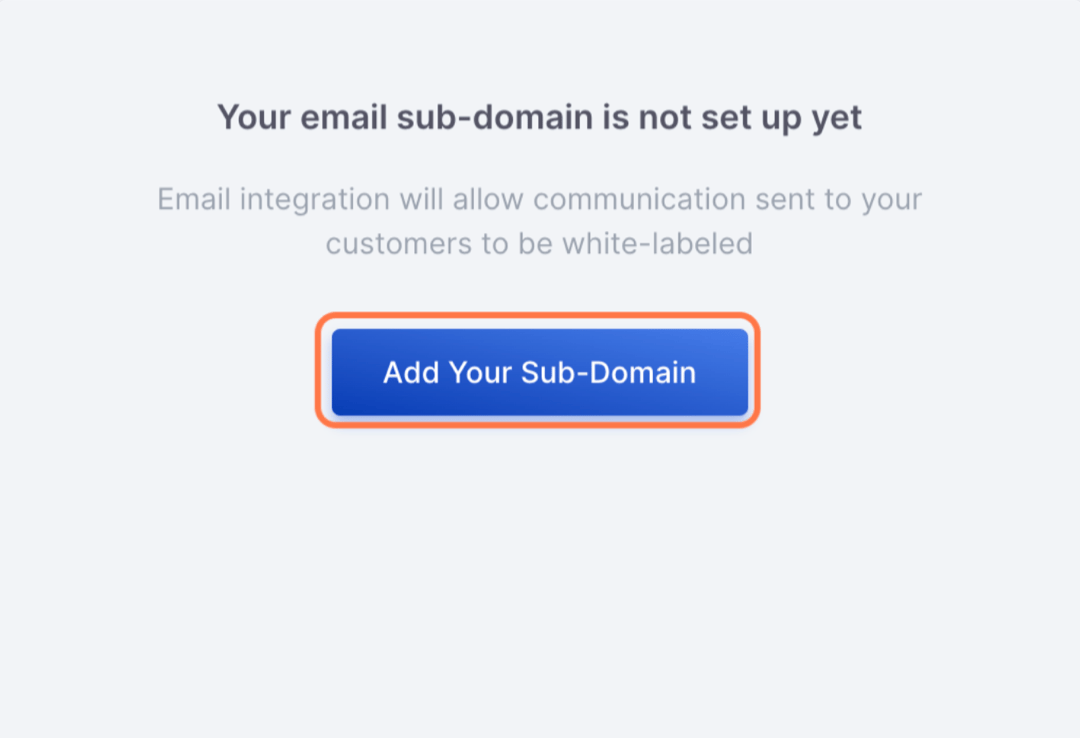
 4. Select the **+** button for **Add a Sub-Domain**.
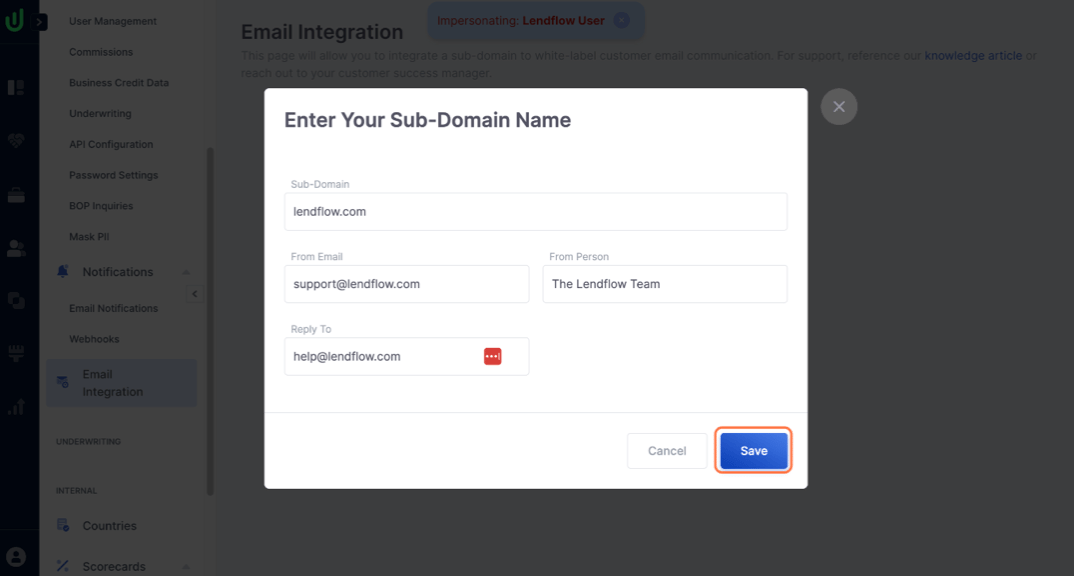
 5. Complete the available fields, then select **Save**.
 6. Confirm that the new subdomain appears on the **Email Integration** page.
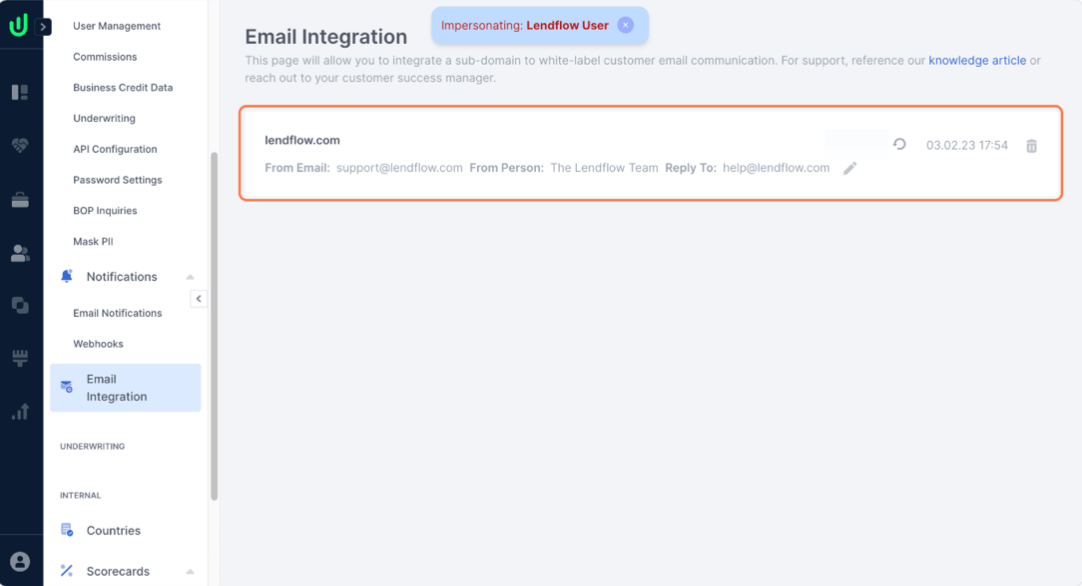 7. Contact your Lendflow Customer Success representative for the TXT and MX records that must be added to your Domain Name System (DNS) provider.
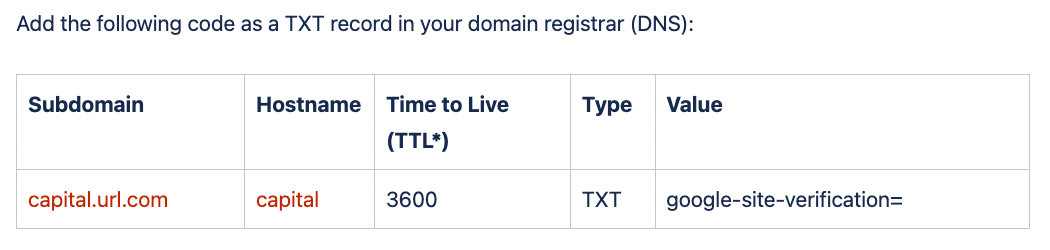
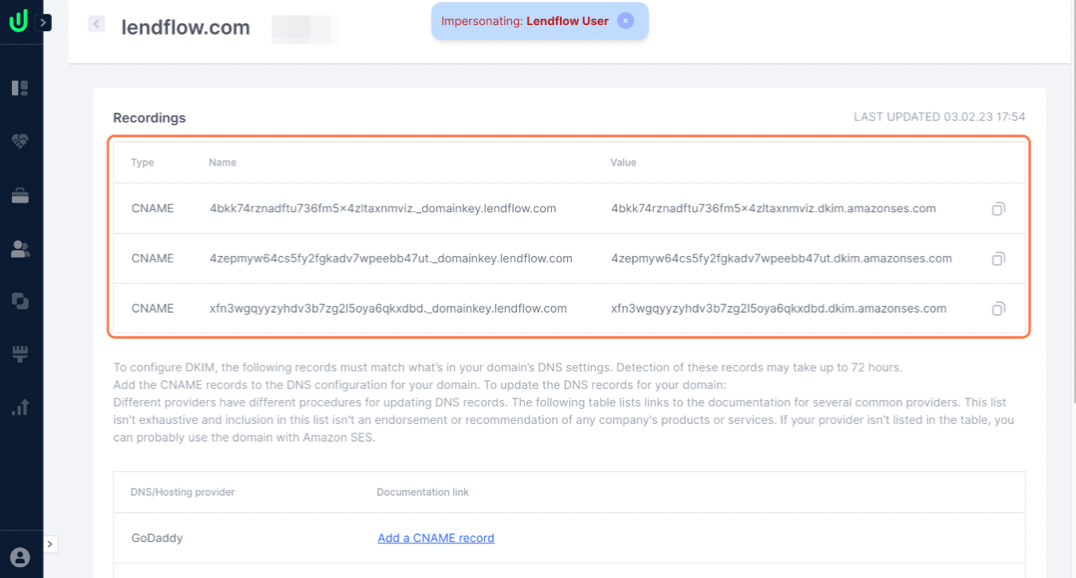
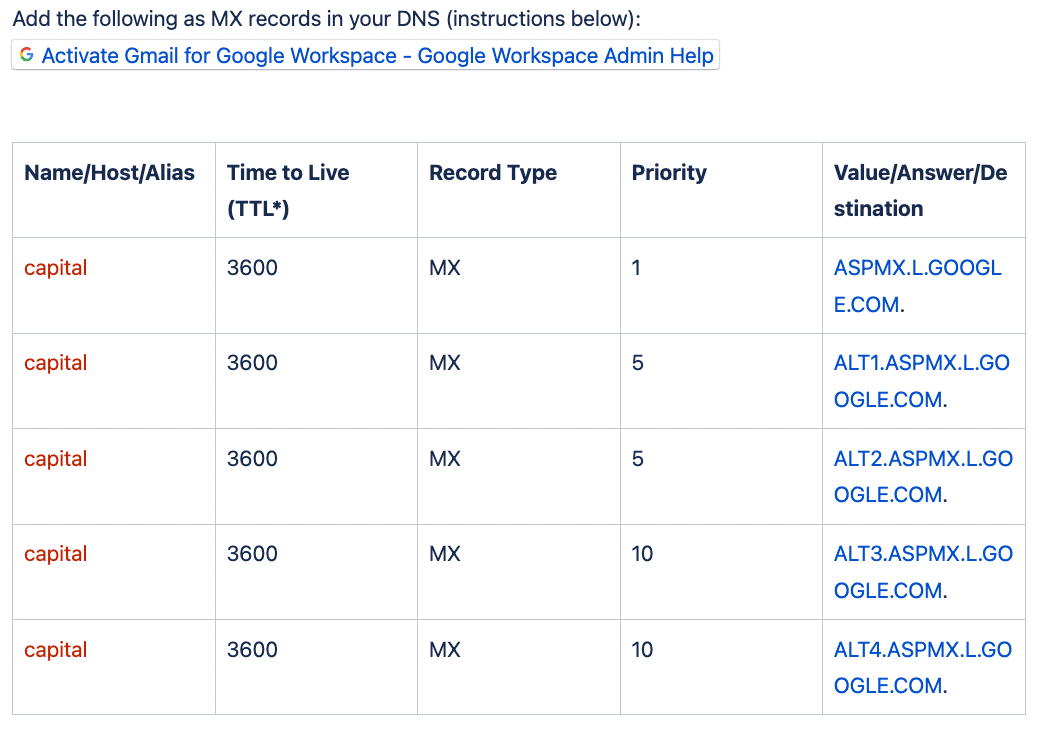 8. After adding the TXT and MX records, add the required CNAME records. Your Lendflow Customer Success representative can provide these records, or you can select the subdomain on the **Email Integration** page to view them.
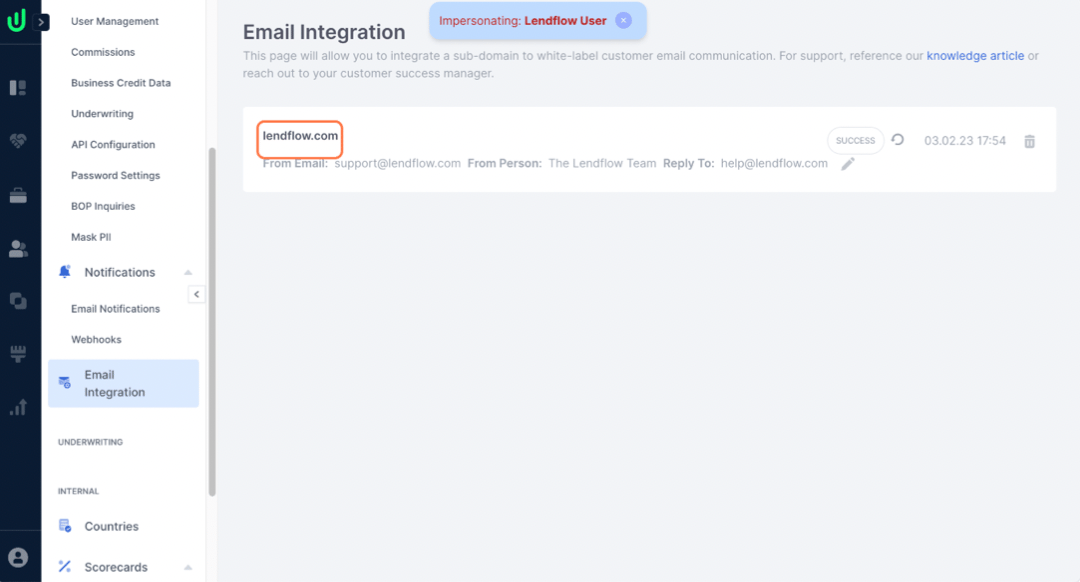 The CNAME records will become visible on the email integration page. The page also shows helpful guides on how to add these records to various host providers.
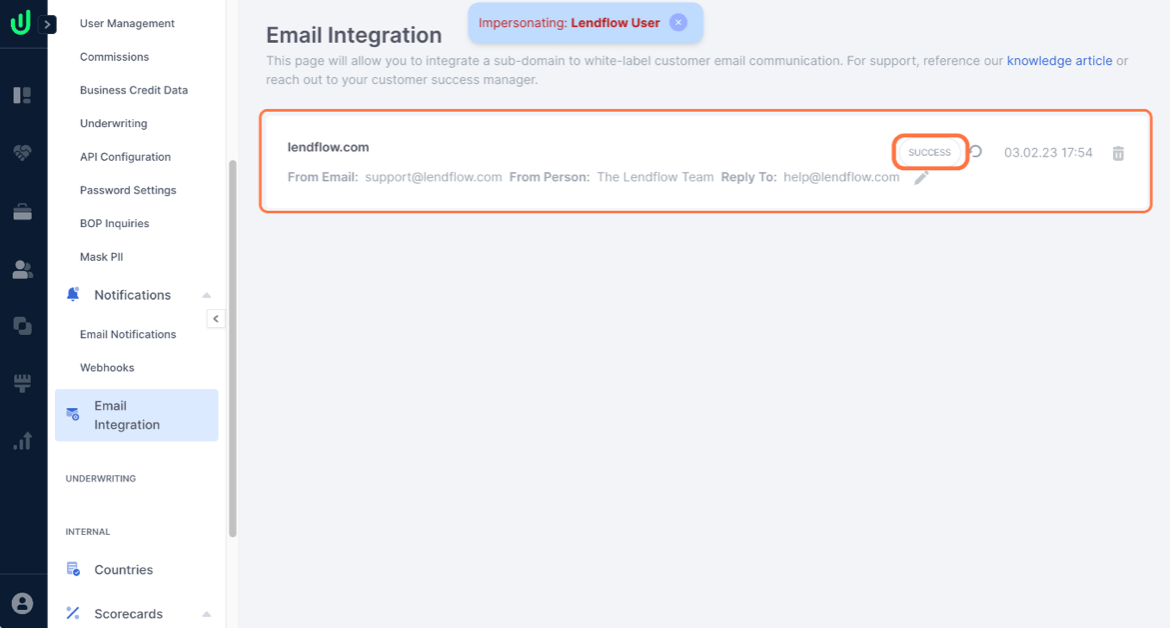
 9. After your DNS provider verifies the CNAME records, confirm that the **Email Integration** page displays **Success**. The Lendflow team can also confirm that the integration is active.
Authentication may take up to 72 hours. The **Email Integration** page displays the current status and the date and time of the latest check.
9. After your DNS provider verifies the CNAME records, confirm that the **Email Integration** page displays **Success**. The Lendflow team can also confirm that the integration is active.
Authentication may take up to 72 hours. The **Email Integration** page displays the current status and the date and time of the latest check.
 ## FAQ
Select your profile in the lower-left corner of the Lendflow Dashboard, then select **Email Integration** under **Account**.
The setup uses TXT, MX, and CNAME records. Contact your Lendflow Customer Success representative for the records and instructions specific to your subdomain.
Select the subdomain on the **Email Integration** page to view its CNAME records. Your Lendflow Customer Success representative can also provide them.
Authentication may take up to 72 hours. Review the status and latest check time on the **Email Integration** page.
## FAQ
Select your profile in the lower-left corner of the Lendflow Dashboard, then select **Email Integration** under **Account**.
The setup uses TXT, MX, and CNAME records. Contact your Lendflow Customer Success representative for the records and instructions specific to your subdomain.
Select the subdomain on the **Email Integration** page to view its CNAME records. Your Lendflow Customer Success representative can also provide them.
Authentication may take up to 72 hours. Review the status and latest check time on the **Email Integration** page.