> ## Documentation Index
> Fetch the complete documentation index at: https://docs.lendflow.com/llms.txt
> Use this file to discover all available pages before exploring further.
# Attribute Functions Reference
## Attribute Functions Reference
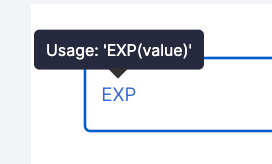
Use these functions and operators to build Formula attributes in **Builders > Attributes**. The formula editor suggests functions, Application Data, data-service attributes, and Custom Attributes as you type. Hover over a function to view its expected arguments.
 In the tables below, brackets indicate optional arguments and `...values` indicates that a function accepts multiple values. Where an alias is listed, you can use either the named function or the operator.
## Logic and comparison
| Function | Usage | Purpose |
| - | - | - |
| `IF` or `WHEN` | `IF(expression, true_value, [false_value])` | Return one value when an expression is true and another when it is false. |
| `IFS` | `IFS(...{condition, value})` | Return the value associated with the first true condition. |
| `SWITCH` | `SWITCH(expression, ...{case, value}, [default])` | Match an expression to a case and return its value. |
| `IFERROR` | `IFERROR(expression, fallback)` | Return a fallback when an expression produces an error. |
| `AND` or `&&` | `AND(value1, value2, ...)` | Return true when every value is true. |
| `OR` or `\|\|` | `OR(value1, value2, ...)` | Return true when at least one value is true. |
| `NOT` | `NOT(expression)` | Reverse the truth value of an expression. |
| `EQ` or `==` | `EQ(left, right)` | Return true when two values are equal. |
| `NE` or `!=` | `NE(left, right)` | Return true when two values are not equal. |
| `GT` or `>` | `GT(value, comparison)` | Return true when the value is greater than the comparison. |
| `GTE` or `>=` | `GTE(value, comparison)` | Return true when the value is greater than or equal to the comparison. |
| `LT` or `<` | `LT(value, comparison)` | Return true when the value is less than the comparison. |
| `LTE` or `<=` | `LTE(value, comparison)` | Return true when the value is less than or equal to the comparison. |
| `IN` | `IN(expression, value1, value2, ...)` | Return true when the expression matches one of the listed values. |
## Blank, type, and error checks
| Function | Usage | Purpose |
| - | - | - |
| `ISBLANK` | `ISBLANK(expression)` | Check whether an expression is blank. |
| `ISNA` | `ISNA(expression)` | Check whether an expression produced a not-available error. |
| `ISNULL` | `ISNULL(expression)` | Check whether an expression is exactly `null`. |
| `ISNUMBER` | `ISNUMBER(value)` | Check whether a value is a number. |
| `ISERROR` | `ISERROR(expression)` | Check whether an expression produced an error. |
## Arithmetic
| Function | Usage | Purpose |
| - | - | - |
| `ADD` or `+` | `ADD(left, right)` | Add two values. |
| `MINUS` or `-` | `MINUS(left, right)` | Subtract the right value from the left value. |
| `MULTIPLY` or `*` | `MULTIPLY(left, right)` | Multiply two values. |
| `DIVIDE` or `/` | `DIVIDE(left, right)` | Divide the left value by the right value. |
| `MOD` or `%` | `MOD(dividend, divisor)` | Return the remainder after division. |
| `EXP` | `EXP(value)` | Raise Euler's number to the supplied power. |
| `POWER`, `POW`, or `^` | `POWER(value, exponent)` | Raise a value to a specified power. |
| `ABS` | `ABS(value)` | Return the absolute value. |
| `SUM` | `SUM(...values)` | Add all supplied values. |
## Aggregates, counts, and statistics
| Function | Usage | Purpose |
| - | - | - |
| `MIN` | `MIN(...values)` | Return the smallest value. |
| `MAX` | `MAX(...values)` | Return the largest value. |
| `AVERAGE` | `AVERAGE(...values)` | Return the average of the supplied values. |
| `STDEV` | `STDEV(...values)` | Estimate standard deviation from a sample. |
| `PERCENTILE` | `PERCENTILE(data, percentile)` | Return the value at a percentile. Use a value from 0 to 1; larger values are divided by 100. |
| `COUNT` | `COUNT(...values)` | Count numeric values. |
| `COUNTA` | `COUNTA(...values)` | Count non-null values. |
| `COUNTBLANK` | `COUNTBLANK(...values)` | Count blank values. |
| `COUNTUNIQUE` | `COUNTUNIQUE(...values)` | Count unique, non-null values. |
| `COUNTIF` | `COUNTIF(range, criteria)` | Count values in a range that meet the criteria. |
## Rounding and logarithms
| Function | Usage | Purpose |
| - | - | - |
| `ROUND` | `ROUND(value, [precision])` | Round a value to the specified number of decimal places. |
| `FLOOR` | `FLOOR(value, [factor])` | Round down to the nearest multiple of the factor. |
| `CEILING` | `CEILING(value, [factor])` | Round up to the nearest multiple of the factor. |
| `LOG` | `LOG(value, [base=10])` | Return a logarithm using base 10 or a supplied base. |
| `LN` | `LN(value)` | Return the natural logarithm. |
## Financial
| Function | Usage | Purpose |
| - | - | - |
| `PMT` | `PMT(rate, nper, pv, [fv=0], [type=0])` | Calculate a periodic loan payment at a constant interest rate. |
| `RATE` | `RATE(nper, pmt, pv, [fv], [type], [guess])` | Calculate the interest rate per period of an annuity. |
## Text
| Function | Usage | Purpose |
| - | - | - |
| `LEFT` | `LEFT(value, [characters=1])` | Return characters from the beginning of a value. |
| `RIGHT` | `RIGHT(value, [characters=1])` | Return characters from the end of a value. |
| `UPPER` | `UPPER(value)` | Convert text to uppercase. |
| `LOWER` | `LOWER(value)` | Convert text to lowercase. |
| `SPLIT` | `SPLIT(value, [delimiter])` | Split text into a list at each delimiter. |
| `REGEXMATCH` | `REGEXMATCH(value, pattern)` | Check whether text matches a regular expression. |
| `REGEXEXTRACT` | `REGEXEXTRACT(value, pattern)` | Return the part of text matching a regular expression. |
| `TEXT` | `TEXT(value, format)` | Format a number as text. |
| `VALUE` | `VALUE(value)` | Convert text to a number. |
## Date and time
| Function | Usage | Purpose |
| - | - | - |
| `DATE` | `DATE(year, month, day)` | Build a date from year, month, and day values. |
| `DAY` | `DAY(value)` | Return the day of the month. |
| `MONTH` | `MONTH(value)` | Return the month. |
| `YEAR` | `YEAR(value)` | Return the year. |
| `WEEKDAY` | `WEEKDAY(value, [type])` | Return the weekday number. The optional type controls how days are numbered. |
| `TODAY` | `TODAY()` | Return the current date. |
| `NOW` | `NOW()` | Return the current date and time. |
| `DATEVALUE` | `DATEVALUE(value)` | Convert a date value to its internal date representation. |
| `EDATE` | `EDATE(start_date, months)` | Add a number of months to a date. |
| `EOMONTH` | `EOMONTH(start_date, months)` | Return the final day of a month relative to a starting date. |
## Lookup, arrays, and evaluation
| Function | Usage | Purpose |
| - | - | - |
| `INDEX` | `INDEX(reference, [row=0], [column=0])` | Return a value, row, column, or full table from a two-dimensional reference. Rows and columns are one-based. |
| `DATA_GET` | `DATA_GET(data, path)` | Retrieve a nested value using a dot-notation path. |
| `KEYS` | `KEYS(data)` | Return all keys from an object. |
| `VSTACK` | `VSTACK(...values)` | Stack values vertically into an array. |
| `FLATTEN` | `FLATTEN(...arrays)` | Flatten nested arrays into one list. |
| `SPREAD` or `...` | `SPREAD(values)` | Spread an array into the surrounding function. |
| `ARRAYFORMULA` | `ARRAYFORMULA(function)` | Apply a non-array function across array inputs. |
| `SEQUENCE` | `SEQUENCE(rows, [columns], [start], [step])` | Generate a sequence of numbers. |
| `EVAL` | `EVAL(value)` | Evaluate a nested expression. |
## Higher-order functions
| Function | Usage | Purpose |
| - | - | - |
| `LAMBDA` | `LAMBDA(...parameters, expression)` | Define an inline function. |
| `MAP` | `MAP(items, lambda)` | Apply a lambda to every item. |
| `FILTER` | `FILTER(items, lambda)` | Return items that satisfy a lambda condition. |
| `REDUCE` | `REDUCE(carry, items, lambda)` | Reduce a list to one value, beginning with the supplied carry value. |
## FAQ
Yes. Paste the formula into the editor, then replace spreadsheet cell references and unsupported functions with Lendflow application data, data-service attributes, Custom Attributes, and supported functions.
Yes, when the table lists an operator alias. For example, use either `ADD(left, right)` or the `+` operator.
The editor does not recognize that function or value. Select a supported suggestion or replace it with one of the functions listed on this page.
Select the icon and provide the required context, such as a date range or score model.
## Next steps
Create, evaluate, publish, and use a Static or Formula attribute.
Use Formula attributes in a Data Orchestration template.
Add published Custom Attributes to a scoring model.
In the tables below, brackets indicate optional arguments and `...values` indicates that a function accepts multiple values. Where an alias is listed, you can use either the named function or the operator.
## Logic and comparison
| Function | Usage | Purpose |
| - | - | - |
| `IF` or `WHEN` | `IF(expression, true_value, [false_value])` | Return one value when an expression is true and another when it is false. |
| `IFS` | `IFS(...{condition, value})` | Return the value associated with the first true condition. |
| `SWITCH` | `SWITCH(expression, ...{case, value}, [default])` | Match an expression to a case and return its value. |
| `IFERROR` | `IFERROR(expression, fallback)` | Return a fallback when an expression produces an error. |
| `AND` or `&&` | `AND(value1, value2, ...)` | Return true when every value is true. |
| `OR` or `\|\|` | `OR(value1, value2, ...)` | Return true when at least one value is true. |
| `NOT` | `NOT(expression)` | Reverse the truth value of an expression. |
| `EQ` or `==` | `EQ(left, right)` | Return true when two values are equal. |
| `NE` or `!=` | `NE(left, right)` | Return true when two values are not equal. |
| `GT` or `>` | `GT(value, comparison)` | Return true when the value is greater than the comparison. |
| `GTE` or `>=` | `GTE(value, comparison)` | Return true when the value is greater than or equal to the comparison. |
| `LT` or `<` | `LT(value, comparison)` | Return true when the value is less than the comparison. |
| `LTE` or `<=` | `LTE(value, comparison)` | Return true when the value is less than or equal to the comparison. |
| `IN` | `IN(expression, value1, value2, ...)` | Return true when the expression matches one of the listed values. |
## Blank, type, and error checks
| Function | Usage | Purpose |
| - | - | - |
| `ISBLANK` | `ISBLANK(expression)` | Check whether an expression is blank. |
| `ISNA` | `ISNA(expression)` | Check whether an expression produced a not-available error. |
| `ISNULL` | `ISNULL(expression)` | Check whether an expression is exactly `null`. |
| `ISNUMBER` | `ISNUMBER(value)` | Check whether a value is a number. |
| `ISERROR` | `ISERROR(expression)` | Check whether an expression produced an error. |
## Arithmetic
| Function | Usage | Purpose |
| - | - | - |
| `ADD` or `+` | `ADD(left, right)` | Add two values. |
| `MINUS` or `-` | `MINUS(left, right)` | Subtract the right value from the left value. |
| `MULTIPLY` or `*` | `MULTIPLY(left, right)` | Multiply two values. |
| `DIVIDE` or `/` | `DIVIDE(left, right)` | Divide the left value by the right value. |
| `MOD` or `%` | `MOD(dividend, divisor)` | Return the remainder after division. |
| `EXP` | `EXP(value)` | Raise Euler's number to the supplied power. |
| `POWER`, `POW`, or `^` | `POWER(value, exponent)` | Raise a value to a specified power. |
| `ABS` | `ABS(value)` | Return the absolute value. |
| `SUM` | `SUM(...values)` | Add all supplied values. |
## Aggregates, counts, and statistics
| Function | Usage | Purpose |
| - | - | - |
| `MIN` | `MIN(...values)` | Return the smallest value. |
| `MAX` | `MAX(...values)` | Return the largest value. |
| `AVERAGE` | `AVERAGE(...values)` | Return the average of the supplied values. |
| `STDEV` | `STDEV(...values)` | Estimate standard deviation from a sample. |
| `PERCENTILE` | `PERCENTILE(data, percentile)` | Return the value at a percentile. Use a value from 0 to 1; larger values are divided by 100. |
| `COUNT` | `COUNT(...values)` | Count numeric values. |
| `COUNTA` | `COUNTA(...values)` | Count non-null values. |
| `COUNTBLANK` | `COUNTBLANK(...values)` | Count blank values. |
| `COUNTUNIQUE` | `COUNTUNIQUE(...values)` | Count unique, non-null values. |
| `COUNTIF` | `COUNTIF(range, criteria)` | Count values in a range that meet the criteria. |
## Rounding and logarithms
| Function | Usage | Purpose |
| - | - | - |
| `ROUND` | `ROUND(value, [precision])` | Round a value to the specified number of decimal places. |
| `FLOOR` | `FLOOR(value, [factor])` | Round down to the nearest multiple of the factor. |
| `CEILING` | `CEILING(value, [factor])` | Round up to the nearest multiple of the factor. |
| `LOG` | `LOG(value, [base=10])` | Return a logarithm using base 10 or a supplied base. |
| `LN` | `LN(value)` | Return the natural logarithm. |
## Financial
| Function | Usage | Purpose |
| - | - | - |
| `PMT` | `PMT(rate, nper, pv, [fv=0], [type=0])` | Calculate a periodic loan payment at a constant interest rate. |
| `RATE` | `RATE(nper, pmt, pv, [fv], [type], [guess])` | Calculate the interest rate per period of an annuity. |
## Text
| Function | Usage | Purpose |
| - | - | - |
| `LEFT` | `LEFT(value, [characters=1])` | Return characters from the beginning of a value. |
| `RIGHT` | `RIGHT(value, [characters=1])` | Return characters from the end of a value. |
| `UPPER` | `UPPER(value)` | Convert text to uppercase. |
| `LOWER` | `LOWER(value)` | Convert text to lowercase. |
| `SPLIT` | `SPLIT(value, [delimiter])` | Split text into a list at each delimiter. |
| `REGEXMATCH` | `REGEXMATCH(value, pattern)` | Check whether text matches a regular expression. |
| `REGEXEXTRACT` | `REGEXEXTRACT(value, pattern)` | Return the part of text matching a regular expression. |
| `TEXT` | `TEXT(value, format)` | Format a number as text. |
| `VALUE` | `VALUE(value)` | Convert text to a number. |
## Date and time
| Function | Usage | Purpose |
| - | - | - |
| `DATE` | `DATE(year, month, day)` | Build a date from year, month, and day values. |
| `DAY` | `DAY(value)` | Return the day of the month. |
| `MONTH` | `MONTH(value)` | Return the month. |
| `YEAR` | `YEAR(value)` | Return the year. |
| `WEEKDAY` | `WEEKDAY(value, [type])` | Return the weekday number. The optional type controls how days are numbered. |
| `TODAY` | `TODAY()` | Return the current date. |
| `NOW` | `NOW()` | Return the current date and time. |
| `DATEVALUE` | `DATEVALUE(value)` | Convert a date value to its internal date representation. |
| `EDATE` | `EDATE(start_date, months)` | Add a number of months to a date. |
| `EOMONTH` | `EOMONTH(start_date, months)` | Return the final day of a month relative to a starting date. |
## Lookup, arrays, and evaluation
| Function | Usage | Purpose |
| - | - | - |
| `INDEX` | `INDEX(reference, [row=0], [column=0])` | Return a value, row, column, or full table from a two-dimensional reference. Rows and columns are one-based. |
| `DATA_GET` | `DATA_GET(data, path)` | Retrieve a nested value using a dot-notation path. |
| `KEYS` | `KEYS(data)` | Return all keys from an object. |
| `VSTACK` | `VSTACK(...values)` | Stack values vertically into an array. |
| `FLATTEN` | `FLATTEN(...arrays)` | Flatten nested arrays into one list. |
| `SPREAD` or `...` | `SPREAD(values)` | Spread an array into the surrounding function. |
| `ARRAYFORMULA` | `ARRAYFORMULA(function)` | Apply a non-array function across array inputs. |
| `SEQUENCE` | `SEQUENCE(rows, [columns], [start], [step])` | Generate a sequence of numbers. |
| `EVAL` | `EVAL(value)` | Evaluate a nested expression. |
## Higher-order functions
| Function | Usage | Purpose |
| - | - | - |
| `LAMBDA` | `LAMBDA(...parameters, expression)` | Define an inline function. |
| `MAP` | `MAP(items, lambda)` | Apply a lambda to every item. |
| `FILTER` | `FILTER(items, lambda)` | Return items that satisfy a lambda condition. |
| `REDUCE` | `REDUCE(carry, items, lambda)` | Reduce a list to one value, beginning with the supplied carry value. |
## FAQ
Yes. Paste the formula into the editor, then replace spreadsheet cell references and unsupported functions with Lendflow application data, data-service attributes, Custom Attributes, and supported functions.
Yes, when the table lists an operator alias. For example, use either `ADD(left, right)` or the `+` operator.
The editor does not recognize that function or value. Select a supported suggestion or replace it with one of the functions listed on this page.
Select the icon and provide the required context, such as a date range or score model.
## Next steps
Create, evaluate, publish, and use a Static or Formula attribute.
Use Formula attributes in a Data Orchestration template.
Add published Custom Attributes to a scoring model.