

Lender Network
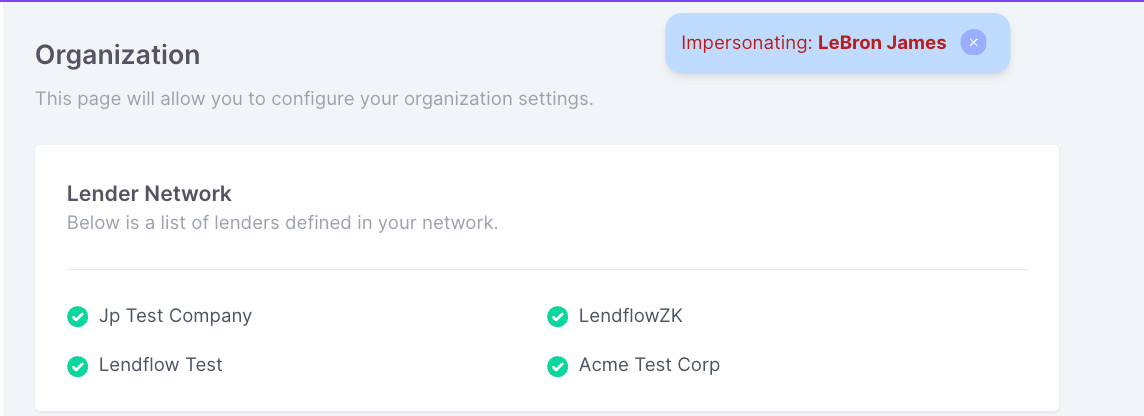
The Lender Network determines which available funders your organization can use in its Lendflow workflows.Open the Lender Network
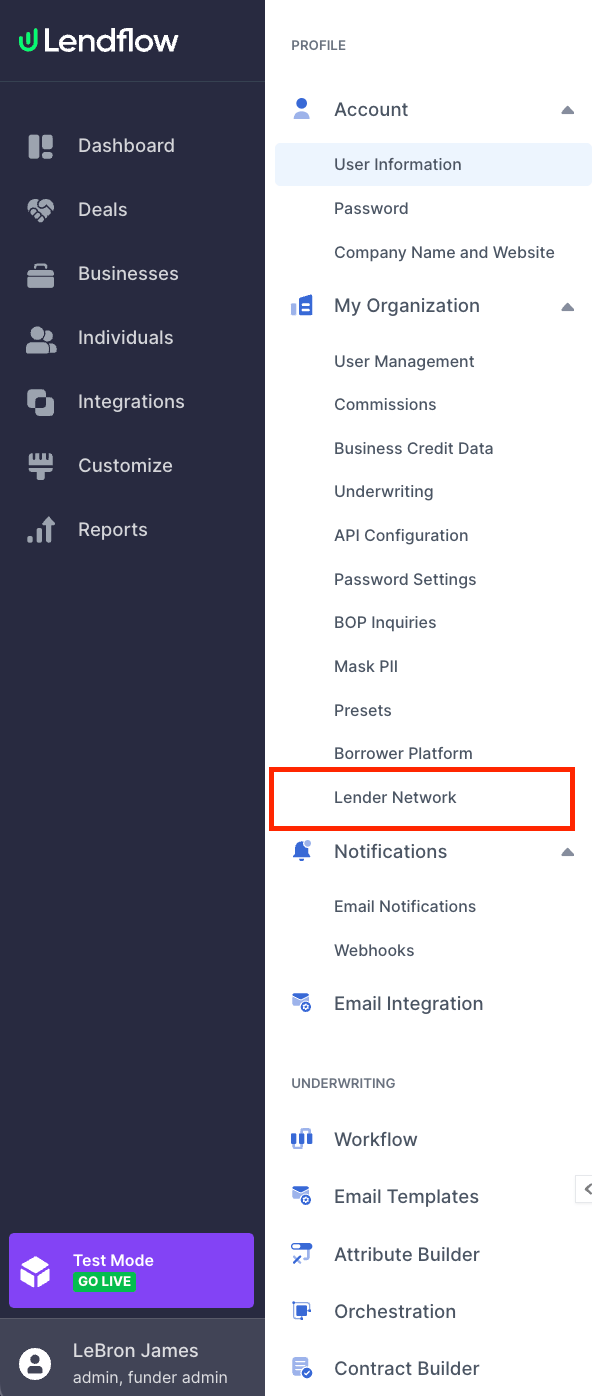
- In the Lendflow Dashboard, select your profile in the lower-left corner.
- Select My Organization.
- Open the Lender Network tab to view the funders available to your organization.
A funder is available in the Placement stage of a Workflow Builder template when your organization, or both Lendflow and your organization, is responsible for completing that stage.
FAQ
Where can I find my organization’s Lender Network?
Where can I find my organization’s Lender Network?
Select your profile in the lower-left corner of the Lendflow Dashboard, select My Organization, then open the Lender Network tab.
Can I add or remove a funder from the Lender Network?
Can I add or remove a funder from the Lender Network?
Organization users can view the configured funders but cannot change them directly. Contact your Lendflow Customer Success representative to request a change.
Where are configured funders used?
Where are configured funders used?
Configured funders can become available in the Placement stage of Workflow Builder and when configuring Scorecard templates.
Why is a funder not available in a workflow template?
Why is a funder not available in a workflow template?
Confirm that the funder is part of your organization’s Lender Network and that your organization is responsible, either alone or with Lendflow, for the Placement stage.
Next steps
Placement Stage Selections
Configure the funders and placement options used in a Workflow Builder template.